Getting the Most From Animal Illustrations in Kids’ Projects
When you are creating content for children, whether it’s a classroom worksheet, a mobile app, a birthday invitation, or a product label, the right animal artwork makes a huge difference. Many people search for Animals for Kids illustrations and assume any cute picture will work. But that single assumption often leads to wasted time, inconsistent branding, or images that fall apart when printed or resized. The goal is not just to find an image of a lion or a penguin. The goal is to use visuals that are clear, engaging, and technically flexible enough for every platform where they will appear. Without that, you risk delivering a final product that looks sloppy or amateurish.
Why Generic Animal Images Often Fail
A common mistake is grabbing a random JPG or PNG from a free resource and dropping it into a design. This can cause immediate quality problems. A low‑resolution raster graphic might look fine on a phone screen but will become pixelated on a printed banner. Even worse, if you need to enlarge a single character for a poster, the edges turn soft and muddy. For anyone running a small business, a blog, or an educational brand, this kind of inconsistency chips away at the audience’s trust. Children may not notice the pixels, but parents, teachers, and licensing boards certainly do.
Another overlooked detail is color. Many free animal graphics use flat, unchangeable palettes. If your brand relies on a specific pastel blue or forest green, a neon‑yellow duck will clash and look unprofessional. You might try to adjust the colors in a photo editor, but with a flat image, you usually end up with unnatural tints and banding. This is especially frustrating for creators who need to match animal characters to a themed series of books, flashcards, or social media posts. The visual disconnect distracts from the educational or emotional message you’re trying to send.
The Real Advantage of Fully Editable Vector Files
This is where a well‑organized Animals for Kids vector collection changes the game. When an illustration set includes AI EPS files, you are not stuck with a static picture. You can open the file, select a cow’s spots, and change them from black to chocolate brown in seconds. You can recolor a parrot’s feathers to match the specific palette of a language‑learning app. Because the files are designed for Mac and Windows users, there is no platform lock‑in. You can work in Adobe Illustrator on a Mac, CorelDRAW on a PC, or even import the EPS into free programs like Inkscape. The creative control stays in your hands, not locked behind a software subscription you don’t have.
People sometimes avoid vector files because they seem technical. In reality, once you see a neatly organized file and layer structure, the fear disappears. Each animal can be on its own labeled layer—Wings, Eyes, Body, Background. You can hide a background to drop a penguin onto a worksheet, or isolate a butterfly to use as an icon. This careful organization means you spend minutes, not hours, hunting for pieces of artwork. It also prevents accidental edits that ruin the original design, a mistake beginners often make when they start flattening layers out of habit.
Mistakes Beginners Make When Choosing Animal Graphics
Even experienced professionals can rush into a purchase or download without checking a few essential things. Let’s address some overlooked details that cause regret.
1. Forgetting to Check Print Readiness
Not all animal pictures are suitable for print. A graphic that works on a website might be 72 DPI and RGB, which leads to dull, washed‑out colors when you send it to a commercial printer. If you plan to create educational posters, coloring books, or packaging, you need high‑quality vector lines that scale infinitely and maintain sharpness. The difference is obvious: a printed raccoon face should have crisp whiskers, not a blurry smudge. Before you buy any illustration set, confirm it includes vector formats like AI or EPS, not just PNGs. That single check saves the embarrassment of pulling a ruined print job from the box.
2. Underestimating Consistency Across a Project
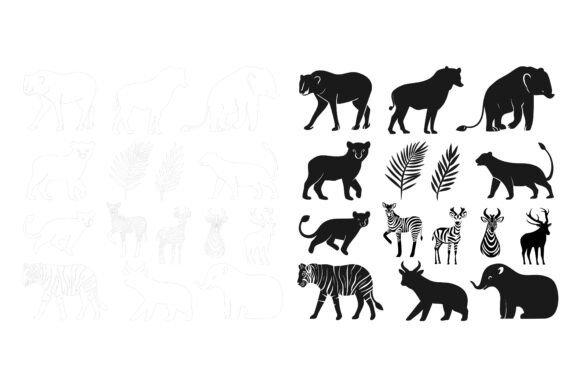
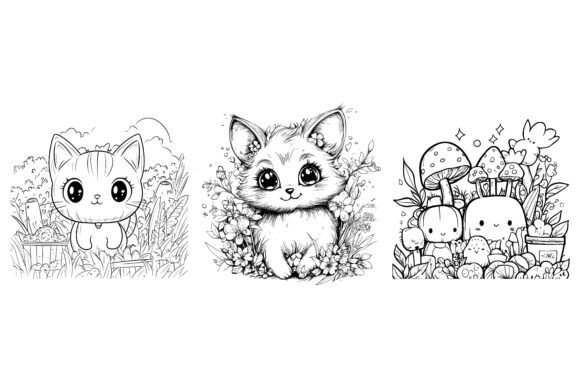
A scattered approach to Animals for Kids assets creates visual chaos. You might find a charming fox with a certain line style and then a tiger from another artist with completely different proportions. Put them side by side in a children’s alphabet app, and the inconsistency makes the product feel cheap. The best collections are built with perfection in details and consistency from the start. This means the same smooth curve style, the same charming eye shapes, and the same line weight across all creatures. When you have a unified set, you can confidently arrange a farm scene with a cow, a pig, and a chicken without any character looking like it wandered in from another universe. That harmony is what elevates a brand from hobbyist to professional.
3. Ignoring Multi‑Use Flexibility
Many buyers think of animal illustrations only for a single project, then later realize they needed similar assets for stickers, infographics, or app icons. A common regret is buying a set that works only for one thing. The best approach is to look for files that the creator has explicitly stated are suitable for web, symbols, apps, and infographics. This means you can use the same elephant illustration as a tiny app button, a mid‑sized worksheet graphic, and a large wall decal without any loss of quality. When you start thinking of your graphics as a reusable toolkit, you save money and maintain brand continuity. You also avoid the awkward patchwork of mismatched styles that comes from scrambling for a new image every time you launch a product.
Practical Ways to Use an Editable Animal Illustration Set
Let’s move beyond theory and look at real examples where a flexible vector collection solves genuine problems.
Scenario 1: An Educator Creating Classroom Materials. A primary school teacher wants to make a set of phonics flashcards. She downloads a set with AI EPS and JPG options. For the printed cards, she opens the EPS files, removes background layers, and arranges three‑by‑three grids of animals. She changes the parrot’s colors to primary red, blue, and yellow so they print vividly. Later, she uses the same animals in a digital slideshow by dropping the JPG previews into PowerPoint. The crisp lines stay clear on the projector. If she had only JPGs, the zoom would have made a fuzzy mess during her lesson.
Scenario 2: A Small Business Owner Designing a Product Line. Someone launching a line of organic baby clothes needs subtle woodland icons. She buys a vector set with a neatly organized layer structure. She pulls apart a sleeping fox: the tail becomes a tiny label icon, the nose becomes a repeating pattern, and the whole fox sits beautifully on a onesie. She can edit it, change colors, and modify the icon so easily in Designer to match her earthy palette. Because the files are cross‑platform, she collaborates with a freelancer on Windows without any file conversion headaches. The result is a cohesive, high‑end look that retailers expect.
Scenario 3: A Blogger Enhancing a Post. A parenting blogger wants to illustrate a list of “10 animals to spot on a nature walk.” Instead of using generic stock photos that everyone else uses, she places charming vector illustrations next to each tip. She tweaks the squirrel’s tail to a soft orange, matching her blog’s accent color. The images load quickly on mobile because the JPGs are optimized, and the visual style sets her blog apart in a crowded niche. This kind of attention to detail keeps readers on the page longer and encourages them to share the post.
What to Look For Before You Decide
It’s tempting to grab the first cute set of animals you see. But taking a few minutes to evaluate the technical side protects you from a frustrating purchase. Here is a practical checklist to guide your decision, especially if you are a freelancer, marketer, or entrepreneur who relies on polished visuals.
- File formats: Verify that the purchase includes AI EPS and JPG—not just one format. The vector files give you full editability, while the JPGs provide ready‑to‑use previews for quick placement.
- Cross‑platform compatibility: Look for explicit notes that files are designed for Mac and Windows users. This avoids the irritation of receiving a file that won’t open correctly on your operating system.
- Layer organization: A neatly organized file structure is not a luxury; it’s a time‑saver. If the product description doesn’t mention layers, you might end up with a single flattened image that’s impossible to customize.
- Detail consistency: Examine the preview images carefully. Do all the animals share a similar level of perfection in details and consistency? A set where one animal has intricate fur texture and another looks like a simple outline will disrupt your design cohesion.
- Intended use clarity: The description should clearly state that the illustrations are suitable for print, web, symbols, apps, and infographics. If those words are missing, you might be purchasing a web‑only asset that can’t handle other contexts.
- Editability promise: Phrases like “you can edit it, change colors and modify the icon so easily according to your needs” signal that the creator has built the artwork with modification in mind. Avoid collections where the designer seems protective of the original look, because you’ll hit silence if you ask for help customizing.
How to Integrate the Set Without Design Disasters
Even with a great Animals for Kids collection, a few missteps can still reduce impact. One common error is using the graphics at sizes that don’t respect line thickness. When you shrink a detailed animal too much, the lines can become hairline thin and disappear in print. Always test a small sample print at the actual size before committing to a full run. Another mistake is not adjusting colors for different backgrounds. A dark brown bear might vanish against a charcoal‑colored app screen. Use the vector capabilities to lighten the belly or add a subtle glow, keeping the illustration readable. These small tweaks, possible only with editable files, make the difference between a graphic that fits and one that fights the layout.
Some people also forget that children’s content often needs a transparent background. Dropping a JPG with a white box onto a colored poster looks unpolished. With the AI or EPS file open, you can simply export the animal as a PNG with transparency, maintaining the soft, rounded edges that appeal to kids. The extra minute you spend on this step is invisible to the viewer, but its absence is glaring.
Moving Beyond the Download Button
Once you have a reliable collection, think about how to stretch its value. Combine animals to create scenes: a jungle backdrop with layered toucans, monkeys, and snakes becomes a rich environment for a game or a storybook. Use individual elements as profile icons for a children’s social learning platform—a friendly turtle for the science section, a bookworm caterpillar for reading. Because the files are neatly organized, each component is accessible without rebuilding anything. This modular approach keeps your projects fresh without constantly buying new artwork.
It’s also wise to store your editable files in a clear folder system. Name them by animal and sheet, not by abstract codes. Six months from now, when you need that giraffe for a quick Instagram post, you won’t want to open a dozen files searching. A little organization on your side, combined with the illustrator’s already structured layers, makes your workflow smooth and almost enjoyable.
The most successful kids’ content creators, educators, and product sellers treat their visual assets as long‑term tools, not single‑use decorations. By choosing an Animals for Kids illustration set that offers full editability, consistent style, and multi‑format support, you avoid the frustration of pixelated prints, mismatched characters, and dead‑end files. You also gain the freedom to experiment with branding, because you’re never locked into the original colors or layouts. That flexibility saves money, sharpens your professional image, and honestly makes the creative process a lot more fun.